
VCF

June 4, 2026
Creating a VCF Workload Domain Fails
Not enough resources found in management domain
The Issue?
Attempting to deploy a VCF 9.1 Workload Domain fails at a validation sub-task, even when the cluster appears to have sufficient resources in vCenter.
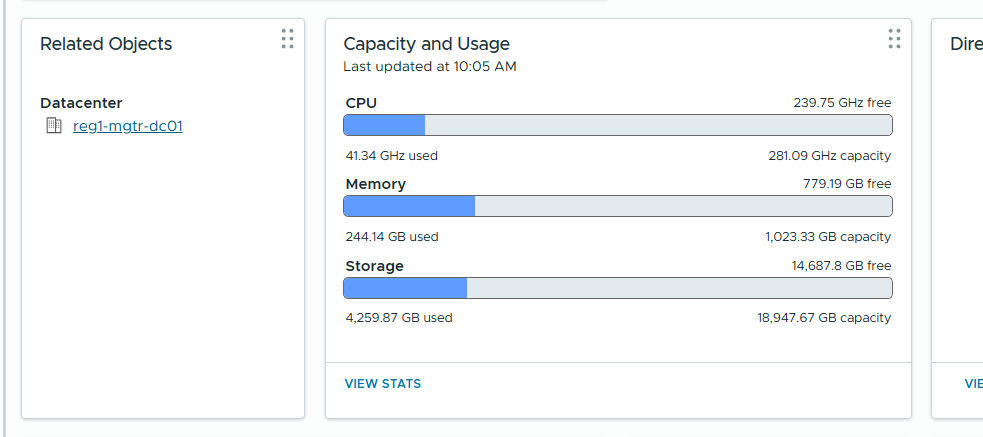
Cluster hardware specification for the management domain cluster is as follows.

After all the configuration is validated and you kick off the workflow, it stops / errors at the following task.

The error doesn’t really make sense, based on the visible resources in vCenter there were plenty of resources. One thing that I didn’t immediately notice was the “-” next to the available memory in the error. The cluster had ~200GB free memory but the error shows a negative value for memory.
Troubleshooting
The first step for me is to check the /var/log/vmware/vcf/domainmanager/domainmanager.log. Without posting too much of the log, the first screenshot shows the as-is capacity and report.

It looks as though it is calculating powered off VMs as well, this was verified by using powercli / manually checking currently powered on VMs and the resources allocated.
Next, I created a shell of a VM with 2 vCPU and 32GB ram, and left it powered off.

You can see the increase of 2 vCPU and memory of 32GB. Specifically:
- +2 vCPUs
- +32,768 MB
This confirms that SDDC Manager’s resource validation includes memory reserved by powered-off VMs in its calculation, not just actively consumed memory.
The Solution?
This is very environmentally specific, in my case I added more RAM via memory tiering, other options include completely removing powered down VMs from the inventory or moving them to another cluster if you have additional compute elsewhere. The latter option depends on what VMs you’re moving. Anything fleet / VCF Management service related will likely have to stay where it is.
Below is the cluster after enabling tiering and showing the sub-task validated.
Sub-task is green!



