Oct 09, 2026
/
By Alma F.
/
7 min Read
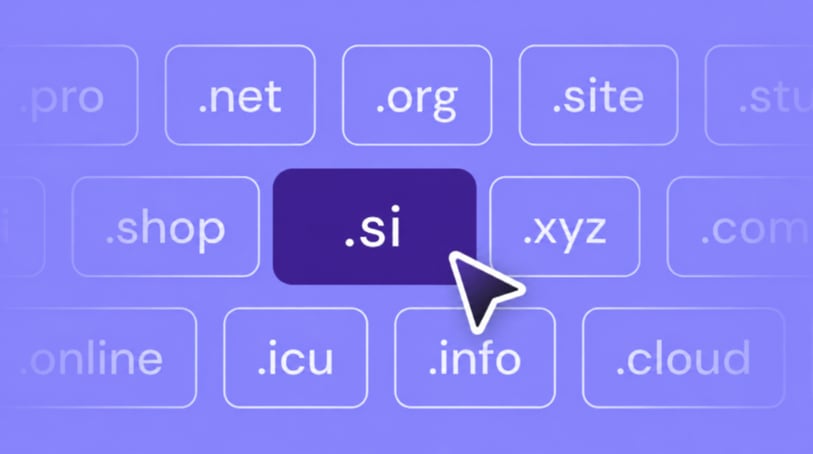
To buy a .si domain, choose a name, check that it’s available, pick an accredited registrar, complete registration and payment, verify your contact details, and set up auto-renewal.
The .si extension is Slovenia’s country-code domain (ccTLD), but you don’t need to live in Slovenia or run a Slovenian company to register one. It has attracted interest beyond Slovenia since “SI” became associated with superintelligence.
That interest makes .si appealing to AI projects, and it costs far less than .ai, the extension AI companies favor because people already associate it with artificial intelligence.
To buy a .si domain, follow these six steps:
- Choose your .si domain name. Pick a memorable name that represents your brand or project and meets .si registration requirements.
- Check .si domain availability. Use a domain search tool to confirm your preferred name is available for registration.
- Choose a domain registrar. Compare accredited registrars based on registration prices, renewal fees, and domain management features.
- Complete the domain registration. Select your registration period, enter your contact information, and pay for your .si domain.
- Verify your contact details. Confirm your email address or phone number and provide additional information if requested.
- Protect and renew your domain. Enable automatic renewal and keep your registration details updated to maintain ownership.
1. Choose your .si domain name
Before you buy a .si domain, pick a name that fits your brand or project and is easy to say, spell, and type. A short, memorable name is easier to share by word of mouth, and it’s less likely to be mistyped when visitors enter it in their browser.
Keep in mind that .si domain is Slovenia’s country-code domain, but many buyers now read it as short for superintelligence. Since people may interpret it either way, your name should make clear what you’re building.

Your .si domain also needs to follow these rules:
- Length and characters. Use 2–63 characters made up of letters, numbers, and hyphens. The name can’t start or end with a hyphen.
- International characters. Slovenian internationalized domain name (IDN) characters are supported, such as in
roža.si. For an international audience, an ASCII-only name is easier to type on keyboards that don’t include Slovenian characters. - Reserved names. Some names are unavailable because they’re reserved for Slovenian state bodies, including
si.si,112.si, and113.si.
Once the name meets those rules, check how well it works in practice. Say it aloud to someone and ask them to type it: if they add a hyphen, write “4” for “for,” or misspell it, simplify.
Then search for the name on Google and on the social platforms you plan to use, because a similar brand or a taken handle can send visitors to the wrong place.
Also ask whether the name still makes sense if buyers stop reading .si as short for superintelligence. These tips for choosing a domain name can help you narrow down your options. Finally, check the name against existing trademarks. Search the Slovenian Intellectual Property Office (SIPO) database for Slovenian trademarks and WIPO’s Global Brand Database for international marks.
Important
An available domain isn’t automatically safe to use as a brand name. Register.si, the official registry that manages .si domains, has a dispute process for registrations that infringe existing rights. A holder can lose a domain that was registered in bad faith.
2. Check .si domain availability
Check whether your preferred .si domain is available through a Hostinger’s domain name search tool.
At Hostinger, you canregister a .si domain by entering the name in the search bar. The result shows whether it’s available and how much it costs.

.si domains are registered on a first-come, first-served basis, and a free one can disappear quickly. Demand has jumped since a late-September US order told federal agencies to use “Super Intelligence” in place of “AI”.
With more names being registered, an available domain may no longer be available by the time you’re ready to buy, so check it again before paying.


If your first domain name choice is already registered, try adding a relevant word, changing the word order, or choosing another name.
You can also contact the current domain holder to ask whether they’re willing to sell it, but the holder sets the resale price, so it can cost much more than registering a new domain.
Domain Name Checker
Instantly check domain name availability.
3. Choose a registrar
You’ll need an accredited registrar to buy your .si domain. Not every registrar offers .si, so first check that yours supports it.
Don’t pick based on the first year price alone. Renewal prices are often higher, so check both before you buy.
Beyond price, compare:
- DNS (Domain Name System) controls. You’ll use these settings to connect the domain to your website and email.
- Included services. This can mean hosting or email, if you need them.
- Customer support. Useful if you need help with registration or setup.
- Transfer options. This is important if you later want to move the domain to another registrar without changing the domain name.
Hostinger supports .si domains. When you register your .si domain with Hostinger, you can manage it along with your DNS, hosting, and email from one dashboard.

4. Complete the registration
Complete the registration request by purchasing the domain and submitting the domain holder details that your registrar needs for the .si registry.
The domain holder is the person or company officially registered as responsible for the domain.
At Hostinger, the process is:
- Search for your name again on the .si domain page, because availability can change between checking and buying.
- Select Make it yours next to the domain you want, and add it to your cart.
- In your cart, select Continue to checkout.
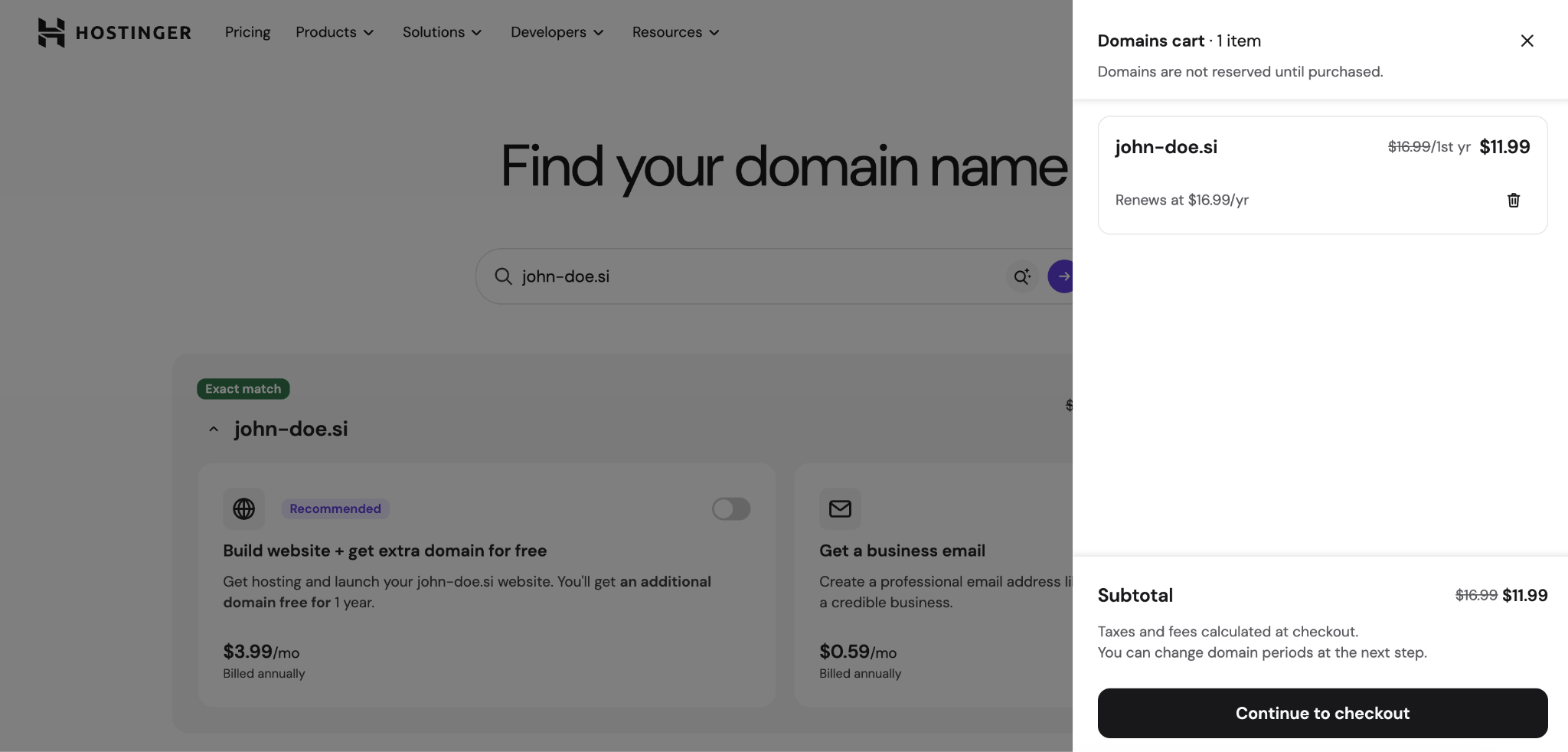
- Choose a registration period of 1, 2, or 3 years. Review the first-year and renewal prices, then select Continue.
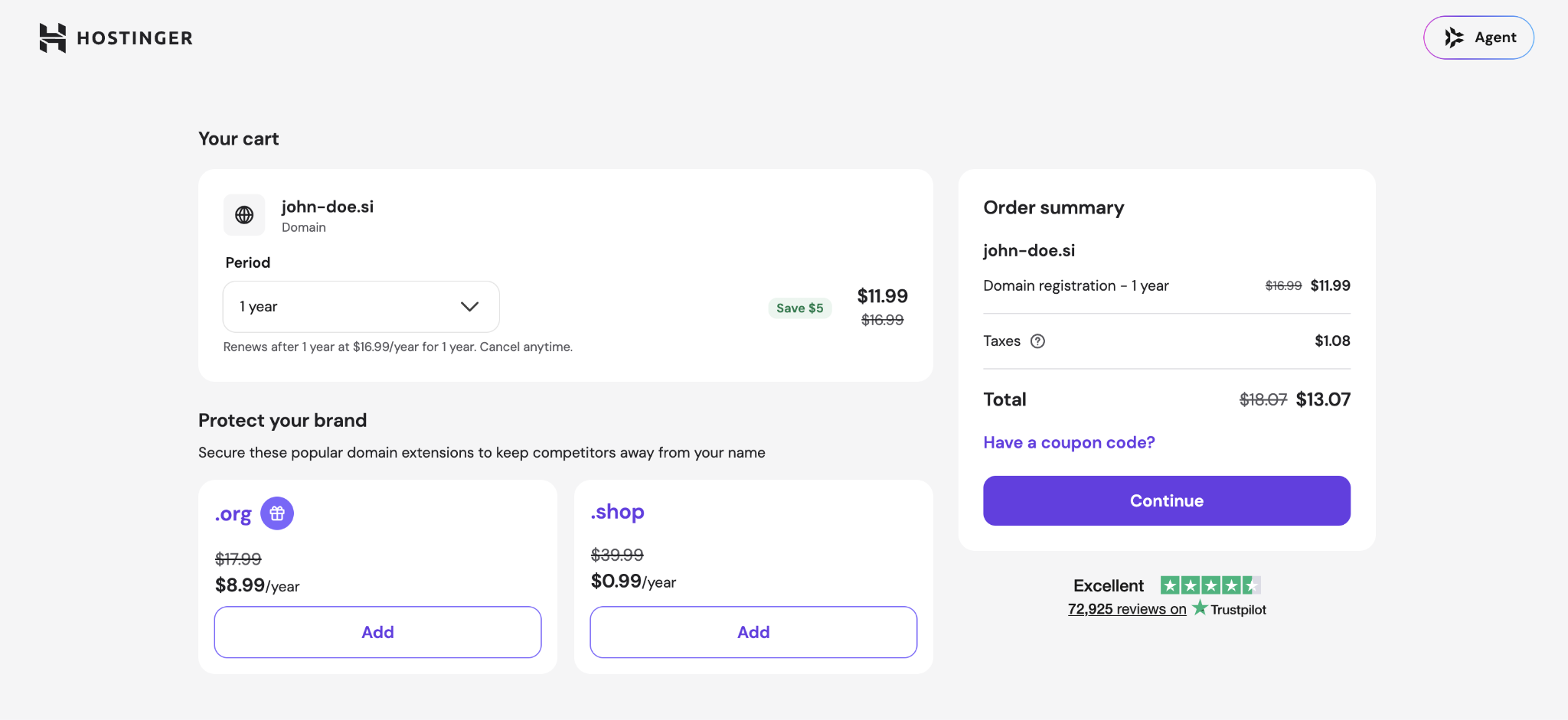
- Enter the domain holder information requested during checkout and complete the payment. Make sure those details match your official records so they can be verified if needed.


Use an email address you can access independently of the new .si domain. For example, don’t use name@yournewdomain.si as your only contact address because that mailbox won’t work until the domain and its email service are active.
After payment, Hostinger sends the registration request to the .si registry. The domain appears in your account once the registration is accepted.
After registration, confirm at least one contact method – typically your email address or phone number – when your registrar asks.
The registry may also request proof of your identity or address when it needs additional confirmation of the domain holder’s details. Provide the requested documents by the deadline your registrar gives you. An unverified domain can be suspended until the check is complete.
The registry can verify your contact details again when you renew the domain or change the holder or contact information.
Under the current .si rules, changing the holder name or email address counts as an ownership change. The new holder then needs to confirm the change by email within seven days.
6. Protect and renew your domain
After verifying your contact details, protect your .si domain by checking that auto-renewal is enabled and keeping your registration information up to date.
Check auto-renewal. Hostinger enables auto-renewal for domains by default. When it’s active, Hostinger attempts to charge your saved payment method before the domain expires. Check or change the setting under Profile → Billing → Subscriptions.
If a .si domain expires:
- It enters a 30-day quarantine period and is deactivated, so websites and email services using it stop working.
- You can stillrenew your domain name during quarantine.
- If you don’t renew it within 30 days, the domain is deleted and becomes available for someone else to register.
Renewal keeps the domain active, but it doesn’t control what registration details are visible publicly. .si has its own rules for what holder information appears in public domain lookups.
Know what information is public. WHOIS and RDAP are services used to look up public domain registration information. Hostinger’sdomain privacy protection isn’t available for .si because the .si registry decides what holder information must stay public and doesn’t allow registrars to hide it.
What appears publicly depends on the holder:
- Individuals – only the contact email is public by default.
- Legal entities – public information includes the organization’s name and registered office.
If you’re registering as an individual, use a contact email you’re comfortable having publicly visible.
The registry needs accurate, complete contact details, even when only part of them is public. If your email address or holder name changes, submit it as an ownership change. Inaccurate data can lead to your domain being deactivated and, in serious cases, deleted.
How much does a .si domain cost?
A .si domain costs $11.99 for the first year and $16.99/year to renew at Hostinger, excluding VAT. Other registrars set their own prices, so compare both the introductory and renewal rates before registering.
A three-year .si registration costs around $46 before tax at Hostinger, including a $5 discount. After the initial term, the domain renews at $16.99/year.

For AI projects, .si costs far less than .ai at Hostinger. An .ai domain currently costs $89.99 for the first year and $109.99/year to renew, with a minimum two-year registration.
Price isn’t the only difference, though. The .ai domain is already strongly associated with artificial intelligence, while .si may need more context before visitors connect it with superintelligence.

What to do after registering your .si domain
After registering your .si domain, connect it to your hosting, set up email if needed, enable HTTPS, and ensure the required DNS records are in place.
To connect your domain to hosting, point it to the server hosting your website. When both the domain and hosting are at Hostinger, you can connect the .si domain from the dashboard, and the required DNS settings are handled automatically.
For a website hosted elsewhere, follow the connection details provided by that host. It will usually ask you to either:
- Change the nameservers. This lets the hosting provider manage your domain’s DNS settings.
- Add specific DNS records. This keeps DNS management where it is while connecting the website to the host. An A record points the domain to your server’s IP address, while a CNAME points one hostname to another.
If your .si domain is registered at Hostinger but the website is hosted elsewhere, you can change its nameservers under Domains → Domain portfolio → Manage → DNS / Nameservers.
The .si registry adds a domain to its DNS only after the nameservers pass its pre-delegation tests. They need a primary and at least one secondary server, an SOA record, and MX records, and the nameservers listed at the registry must match the records on the servers themselves.
If the settings are incorrect, the domain won’t reach your website until you fix them.
After the website is reachable, set up any other services you plan to use:
- Redirect a secondary .si domain. Set up a permanent 301 redirect when your main website already uses another domain, such as .com, instead of publishing the same website on both. Anyone who enters the .si address will then reach your main site.
- Set up domain email. Add an MX record so incoming messages are sent to the correct email provider. SPF, DKIM, and DMARC records help mail services confirm that messages using your domain are legitimate. When using Hostinger Email, you can manage these settings under Emails → Domain settings.
- Enable HTTPS. Install an SSL/TLS certificate so information sent between your website and visitors is encrypted. Without HTTPS, browsers can warn visitors that the connection isn’t secure. All Hostinger hosting plans come with SSL certificates.
DNS changes can take up to 24–48 hours to appear across the internet, so a new connection may not work immediately after you change the settings.
Once the domain, website, and any email services are working, follow thenext steps after buying a domain for the remaining setup.
All of the tutorial content on this website is subject to
Hostinger’s rigorous editorial standards and values.

Add Hostinger as a preferred source on Google
Alma is an AI Content Editor with 9+ years of experience helping ideas take shape across SEO, marketing, and content. She loves working with words, structure, and strategy to make content both useful and enjoyable to read. Off the clock, she can be found gaming, drawing, or diving into her latest D&D adventure.