
SELinux and AppArmor have been around for many years, but are still essential for maintaining a secure Linux environment. This article will cover how to set them up and troubleshoot these mandatory access control (MAC) frameworks. Even if they seem overwhelming at first, learning how they work and how to manage them is an important step in securing your infrastructure.
Linux systems typically use Discretionary Access Control (DAC) where the owner defines the file permissions. But Mandatory Access Control (MAC) provides stricter security by enforcing rules beyond what the user can change (not to be confused with MAC address—Media Access Control address). So even if an attacker gets in, they’re still restricted by system-wide policies.
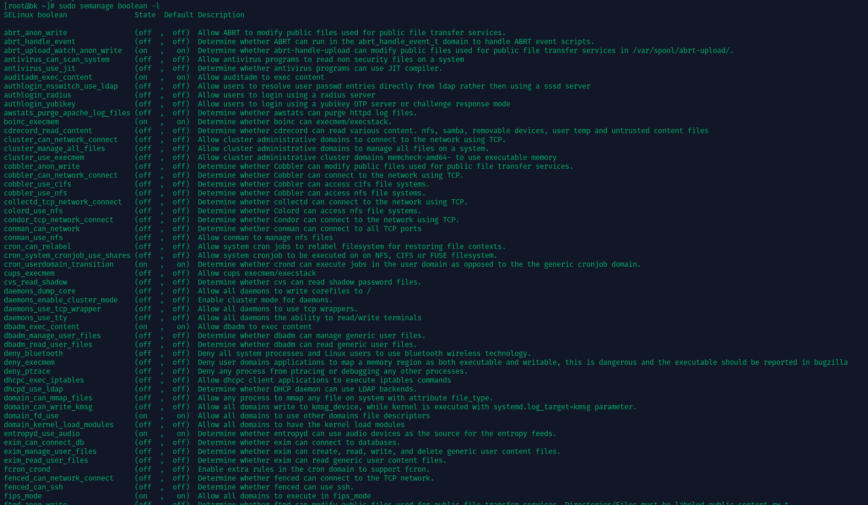
Terminal output listing SELinux Boolean settings and their states.
Real-world system breaches have shown that traditional DAC-based permissions are not enough. Attackers exploit misconfigured or weak permissions to escalate privileges. MAC frameworks like SELinux and AppArmor massively reduce this risk by ensuring that each process and user adheres to predefined security policies.
MAC frameworks like SELinux and AppArmor, are key for security-hardened environments. They’re used across Enterprise Linux distributions like Red Hat Enterprise Linux, Fedora, Ubuntu, Debian and SUSE. These tools help contain breaches by limiting an attacker’s ability to move around the system, reducing the impact of a compromised service.
In This Article
2026 Update: SELinux and AppArmor Are Not Alone
Since this article was first published, it is worth clarifying something important. SELinux and AppArmor are not standalone security add-ons bolted onto Linux. They are implementations of the Linux Security Modules framework, commonly referred to as LSM.
LSM is the kernel layer that allows different access control models to hook into security decisions. SELinux and AppArmor are just two major implementations of that framework. Over the past few years, the ecosystem has matured and expanded, especially in how multiple LSMs can now coexist on modern kernels.
Landlock
Landlock is a newer LSM focused on unprivileged sandboxing. Unlike SELinux, which is typically administered system-wide, Landlock allows applications to restrict themselves. This is interesting for both server and desktop environments.
On servers, developers can use Landlock to confine a service or helper process without needing full SELinux policy authoring. On desktops, it opens the door for applications to limit their own file system access even if the user runs them normally.
Smack
Smack is another LSM that focuses on simplicity compared to SELinux. It uses labels like SELinux but with a more straightforward rule model. You will mostly encounter Smack in embedded systems and specialized deployments.
For most sysadmins running RHEL, AlmaLinux, Rocky, Debian, or Ubuntu, Smack will not be the default choice. Still, it is part of the same LSM family and demonstrates that Linux security is not a two-horse race.
Firejail and User-Space Sandboxing
Not all confinement happens purely in the kernel policy layer. Tools like Firejail use namespaces, seccomp, and capabilities to sandbox applications in user space. On a desktop system, Firejail is often the quickest way to restrict a browser, PDF reader, or random binary downloaded from the internet.
For servers, namespace-based isolation is also what underpins containers. Docker and Podman rely on similar primitives, although they are usually combined with SELinux or AppArmor for stronger confinement.
The takeaway is that Linux security today is modular and composable. LSM provides the foundation. SELinux and AppArmor are the heavy hitters. Landlock and Smack fill specific niches. User-space sandboxing tools add another layer on top. Security on Linux is not a single switch you flip. It is a stack.
SELinux Fundamentals
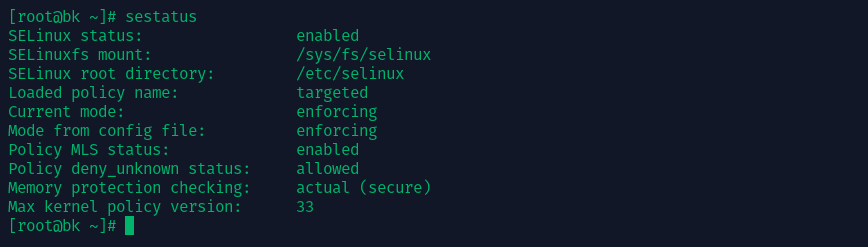
SELinux operates using security contexts, where every file, process, and directory has labels that define its permissions. These labels work within policy types which define what a process can do. Administrators can toggle security rules using Booleans, which allow flexibility in policy management.
SELinux has three modes:
- Enforcing: Actively blocks unauthorized actions.
- Permissive: Logs violations without enforcing rules.
- Disabled: Turns SELinux off (not recommended).
Each mode serves a specific purpose. Enforcing is best for production systems, ensuring strict access control. Permissive is useful for debugging, allowing administrators to identify access violations without breaking functionality. Disabled should only be used in very rare cases, as it removes all security benefits.
Enabling and Configuring SELinux
Most Red Hat-based distributions ship with SELinux enabled by default. You can check its status using:
sestatus
To temporarily switch between enforcing and permissive mode:
setenforce 1  # enforcing
setenforce 0  # permissive
For a permanent change, edit /etc/selinux/config and set SELINUX=enforcing or SELINUX=permissive.
Managing SELinux Policies
SELinux policies control access at a granular level. Tools like semanage modify policies, while restorecon ensures files have correct security contexts. If access is denied, logs in /var/log/audit/audit.log provide insights. Use:
audit2allow -a
to analyze and generate new policies based on blocked actions.
Troubleshooting Example:
If a web application running on Apache cannot access a file, SELinux might be blocking it. To check, run:
ls -Z /path/to/file
If the file does not have the correct httpd_sys_content_t label, fix it with:
sudo chcon -t httpd_sys_content_t /path/to/file
This ensures Apache can serve the file while maintaining security.
Also read: Troubleshooting SELinux.
AppArmor Essentials
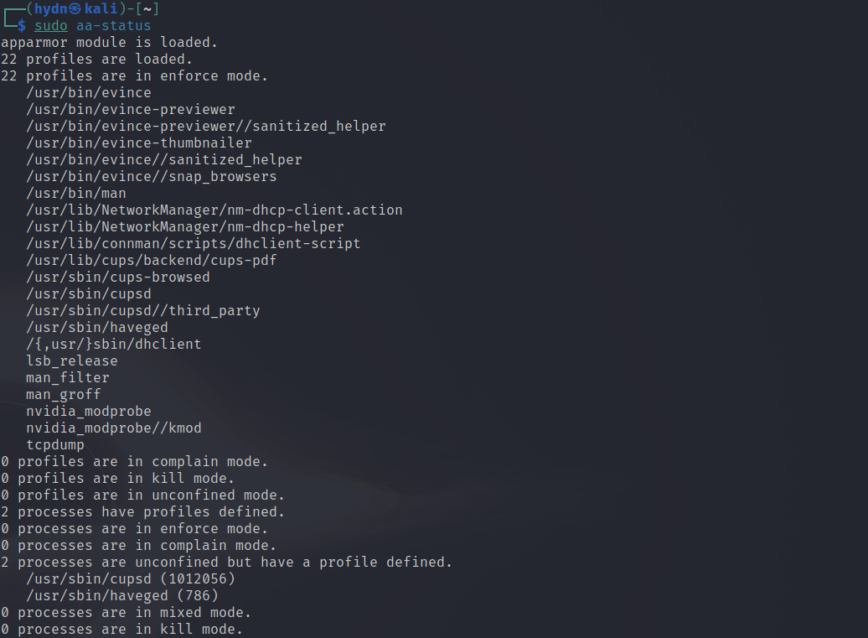
Unlike SELinux, which labels everything with security contexts, AppArmor applies profiles to individual applications. These profiles define what an application can access, making it a simpler approach compared to SELinux.
Enabling AppArmor
Check if AppArmor is running with:
systemctl status apparmor
If it’s not installed, add it via your package manager:
sudo apt-get install apparmor apparmor-utils
Default profiles for services like Apache and MySQL load automatically.
Managing AppArmor Profiles
Profiles can be in complain mode (logging violations) or enforce mode (blocking violations). Use the following to modify profiles:
aa-status  # View active profiles
aa-enforce /path/to/profile  # Enforce a profile
aa-complain /path/to/profile  # Set to complain mode
To create a new profile, monitor the application’s behavior with:
aa-genprof /path/to/application
Troubleshooting Example:
If MySQL fails to start, check AppArmor logs in /var/log/syslog for DENIED messages. If MySQL needs additional permissions, modify its profile in /etc/apparmor.d/usr.sbin.mysqld and reload AppArmor:
sudo systemctl restart apparmor
Also read: Confining privileges with AppArmor.
Real-World Use Cases & Step-by-Step Example
Mandatory Access Control enhances security in various scenarios:
Hosting Multiple Services
If a server hosts multiple services, MAC ensures that a compromised service cannot affect another. For example, an attacker exploiting a vulnerable web application won’t gain access to system-wide files. In an SELinux environment, even if an attacker gains control of a process running as www-data, they won’t be able to read /etc/shadow or alter system-wide configurations.
Example: Hardening a LAMP Stack with SELinux on RHEL/Fedora
- Check SELinux Status
sestatus
Verify it’s set to “enforcing” or “permissive.”
- Assign Correct File Contexts
Ensure your web directory has the correct context:
sudo semanage fcontext -a -t httpd_sys_content_t "/var/www/html(/.*)?"
sudo restorecon -Rv /var/www/html
- Troubleshoot Blocked Actions
Check/var/log/audit/audit.logif services are denied access. Generate custom rules usingaudit2allow. - Validate
Reload or restart web services and verify functionality. Switch SELinux fully to “enforcing” if previously permissive.
Also read: Configuring SELinux. Alternatively, for AppArmor.
Common Pitfalls and How to Avoid Them
One of the common mistakes administrators make is to disable SELinux or AppArmor at the first sign of trouble. Instead of disabling these security layers, sysadmins should use permissive (SELinux) or complain (AppArmor) modes to debug. Leaving SELinux or AppArmor disabled leaves systems open to privilege escalation attacks.
Using old policies is another pitfall. System updates may introduce changes that require policy tweaking. Maintaining and updating your system’s MAC policies along with system updates ensures that security remains intact.
Distribution-specific differences also matter. RHEL-based distros use SELinux, while Ubuntu and Debian use AppArmor. Administrators should familiarize themselves with their distribution’s security framework to avoid misconfigurations.
Conclusion
SELinux and AppArmor add an extra layer of security by enforcing strict access rules beyond standard file permissions. Despite the initial learning curve, these frameworks dramatically reduce risks and limit damage from security breaches. Regularly update your knowledge through these resources:


